Step 1: Choose a folder
Inside of the Videos area, select the folder you would like to add your video to.

Step 2: Add a Video
Click either the '+ Video' button in the top right corner, or the middle button to 'Add your first video' if you have no other videos uploaded in this folder.

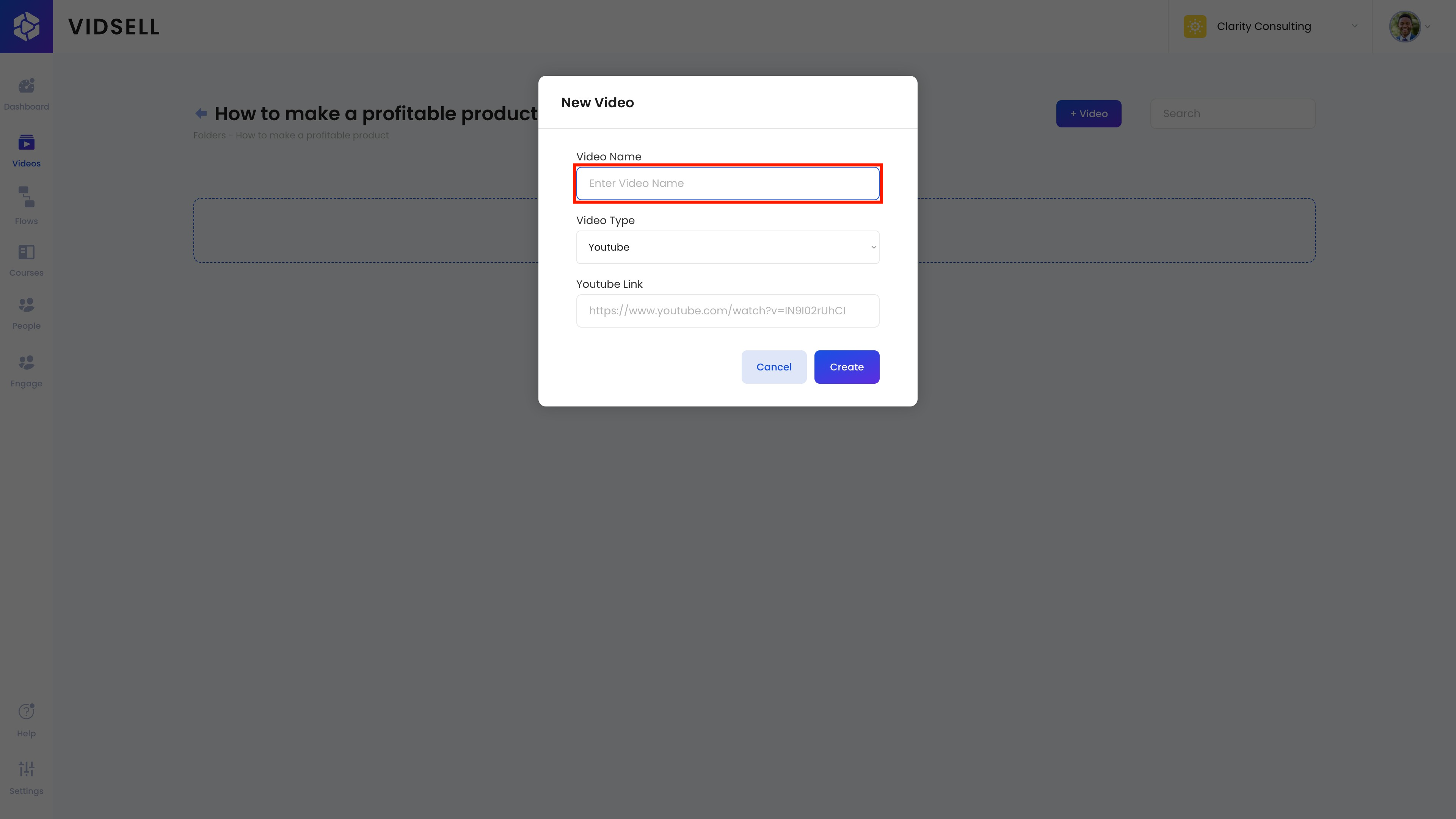
Step 3: Name Your Video
Enter a title for your video
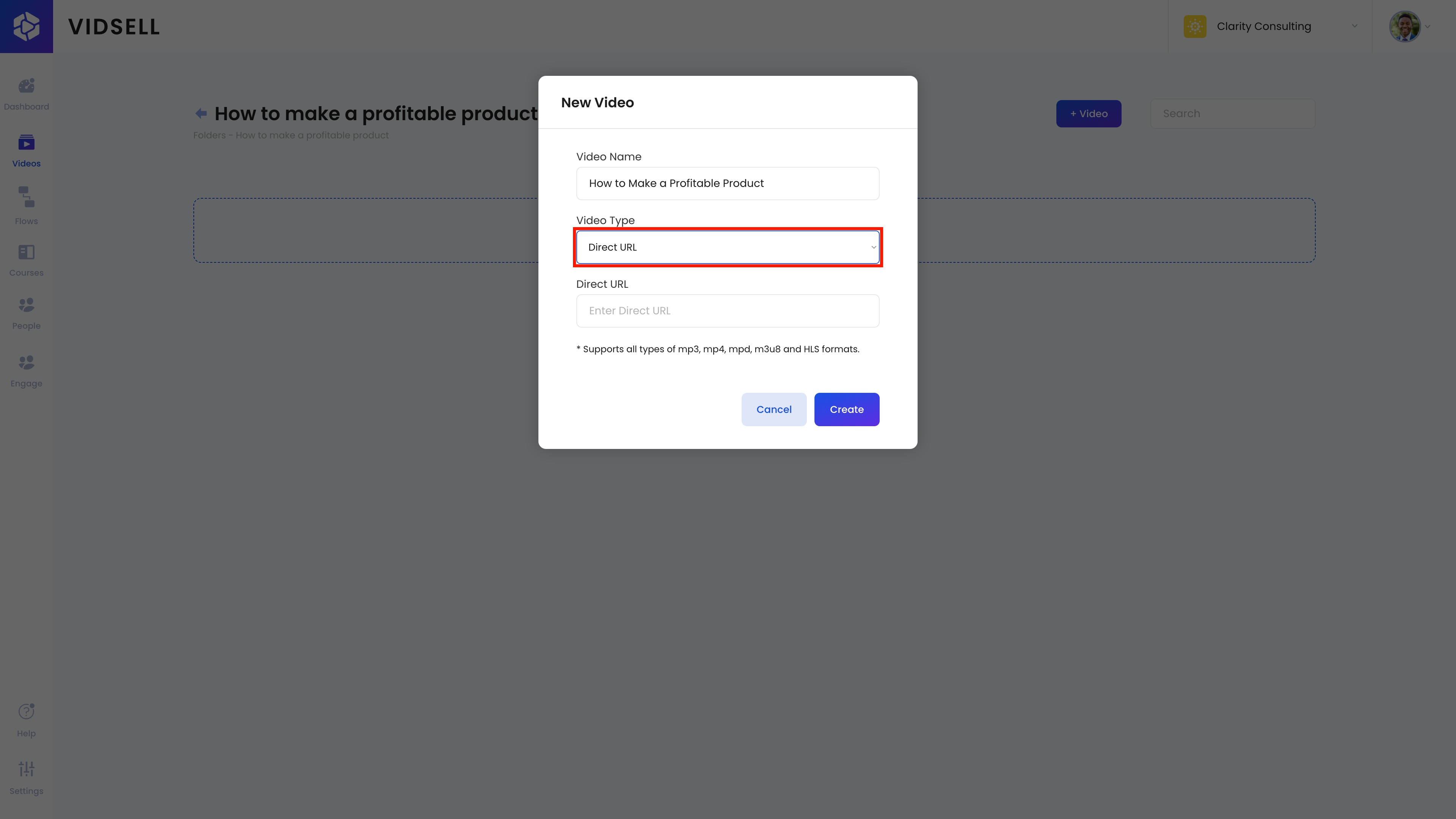
Step 4: Select the Video Type
Choose whether you would like to upload your video from either a Youtube, Vimeo, or Direct URL. For direct URL uploads, multiple file formats including mp3, mp4, mpd, m3u8, and HLS are supported.
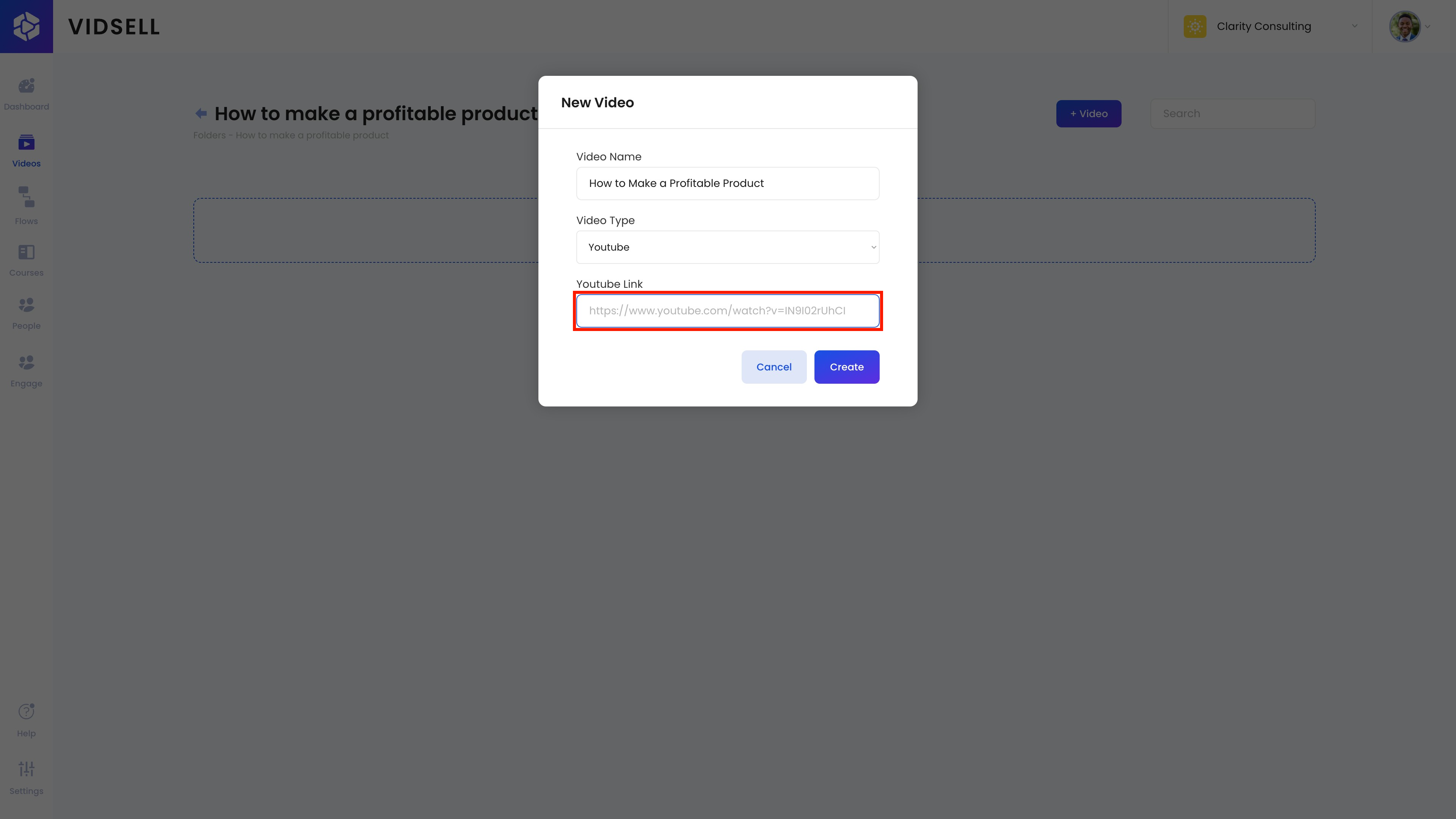
Step 5: Link to Your Video
Paste your video link, and press the 'Create' button to upload!