Learn how to get started managing your videos with folders inside of VidSell.
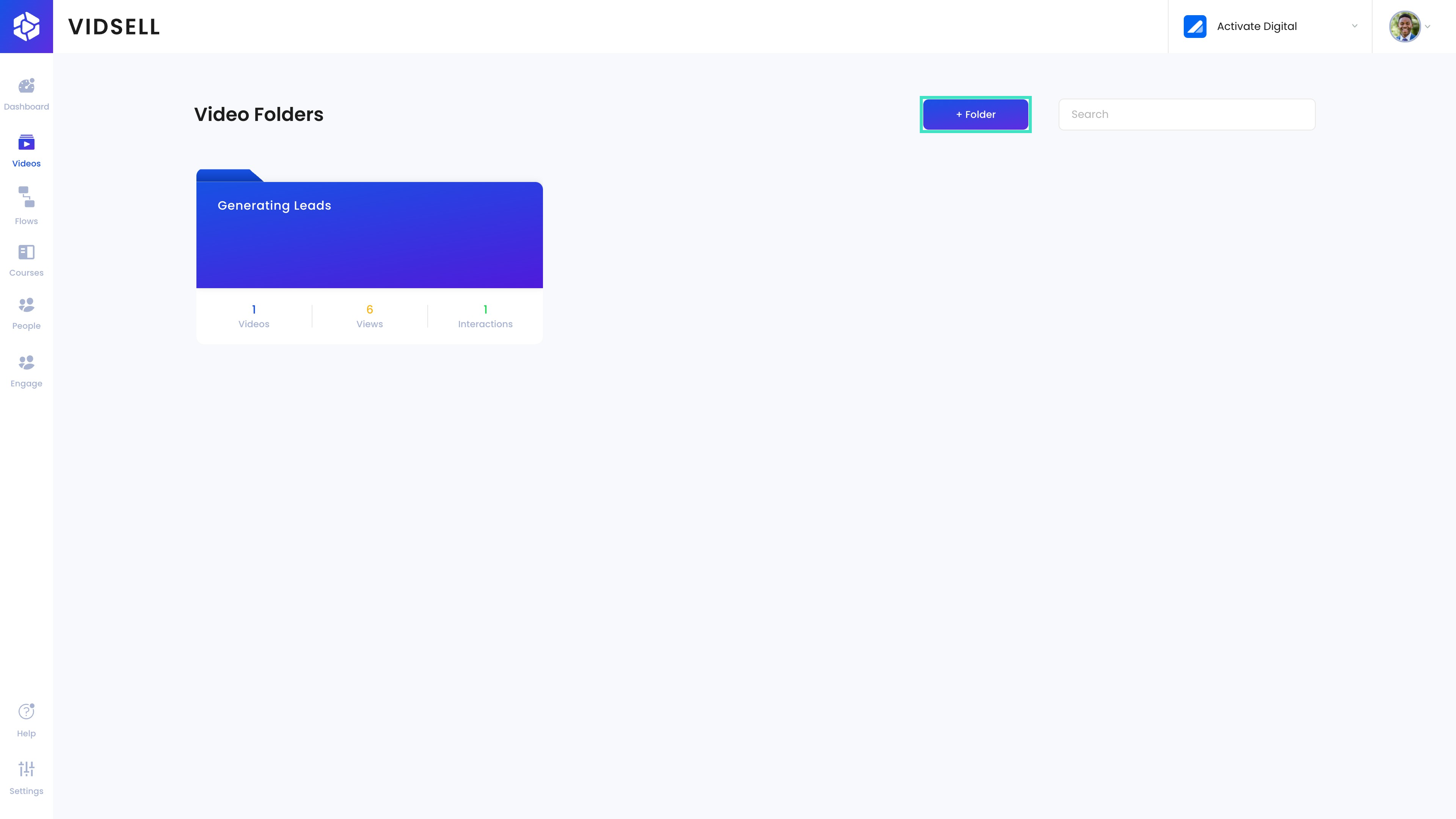
Step 1: Add a New Folder
From the videos are of main menu, click the 'Add Folder' button to start creating your first or another folder.
Step 2: Add a Folder Name
Enter a meaningful name for your folder in the input field provided. This name will help you identify the folder later.

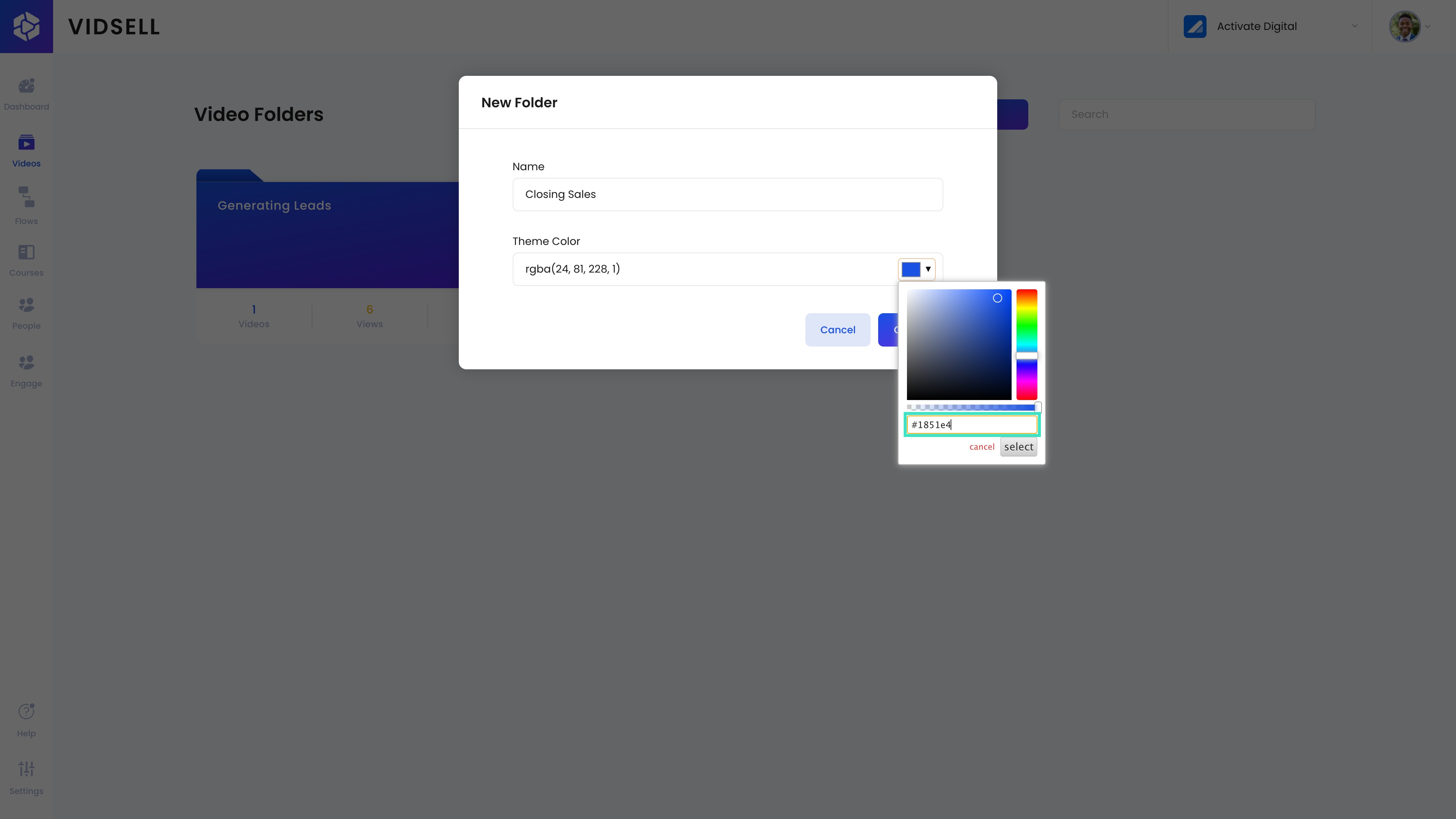
Step 3: Choose a Theme Color
Personalize your folder by selecting a theme color. This will automatically set the default accent color for every video you add inside of this folder.
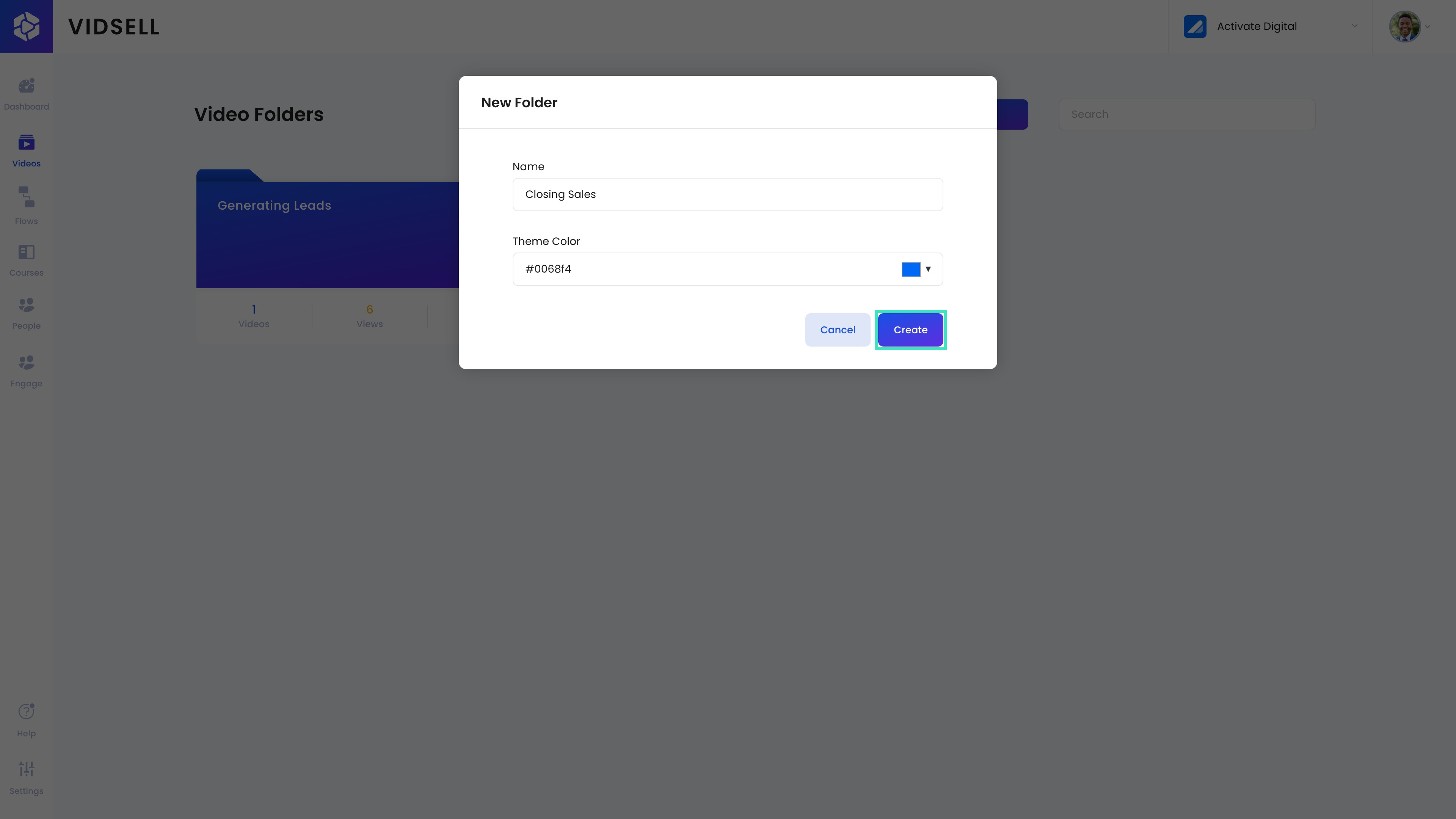
Step 4: Create Your Folder
Click on the 'Create' button to finalize the creation of your folder with the specified name and theme color.
Step 5: Modify Folder Settings
Access the settings of your folder by selecting it and clicking the 'Settings' icon to modify the name or accent color after creating your folder.

Step 6: Deleting a Folder
To delete a folder, hover over your folder and click on the trash can icon.

Step 7: Confirm your Deletion
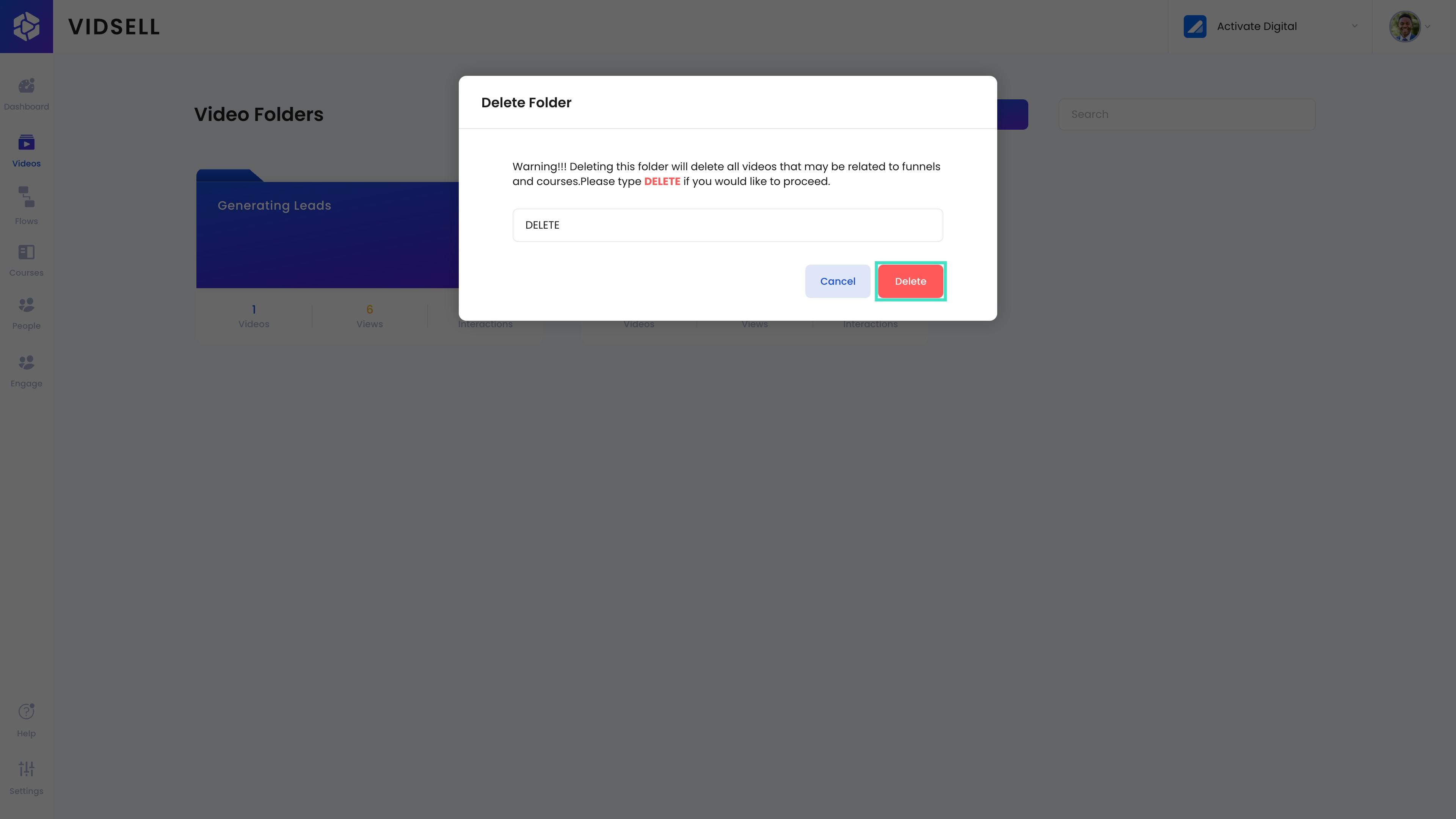
Deleting a folder will delete all of the videos inside of the folder along with it. Please type 'DELETE' to confirm this choice
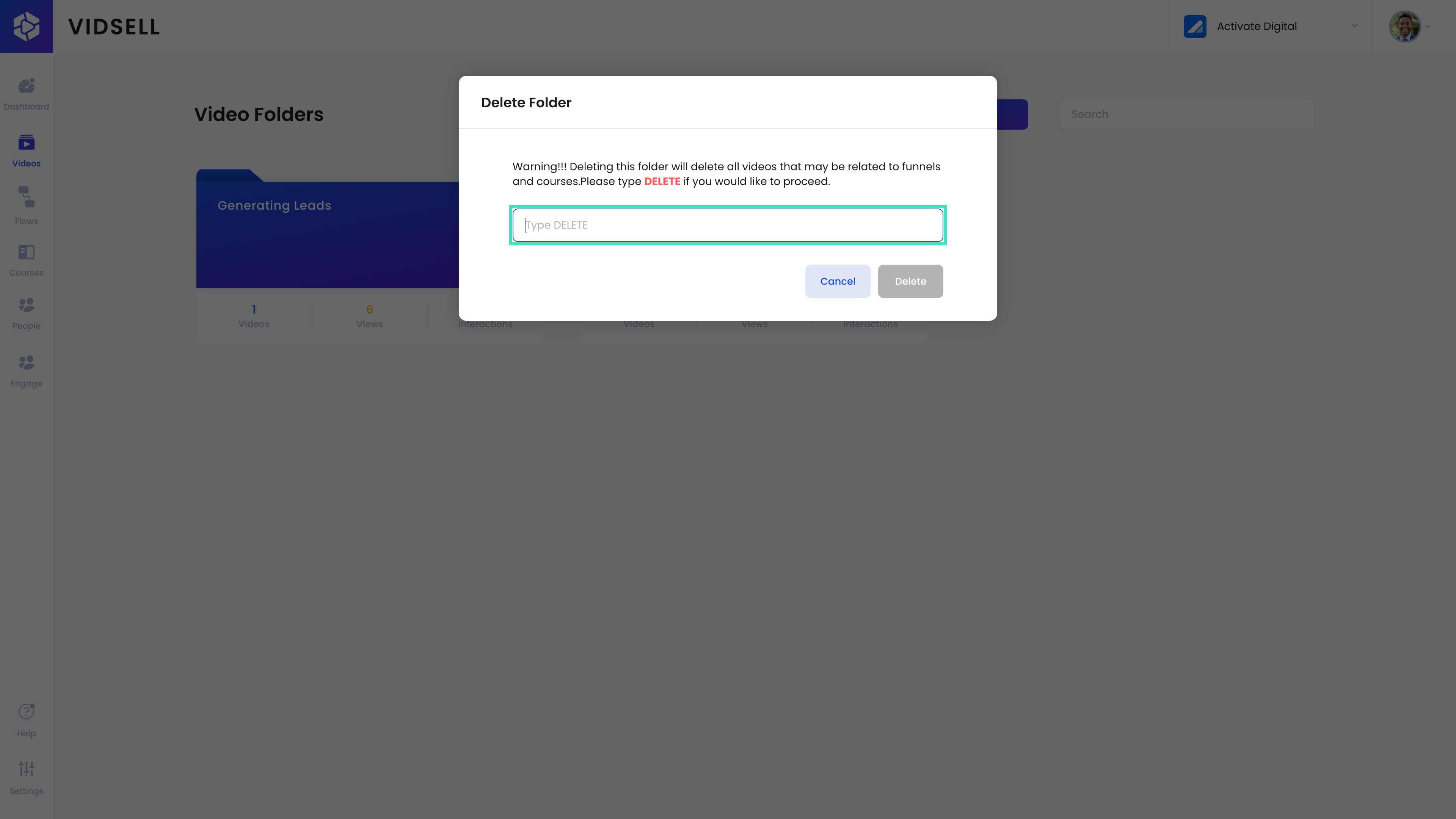
Step 8: Delete a Folder
Click 'Delete" to delete your folder after confirming.